The app, in beta
Satchitananda for iPhone and Apple Watch
Listen to a meditation, and see what your heart did while you listened.
Every meditation from the site is in the app. Wear your Apple Watch, and each one becomes a session: your heart rate before, during and after, with the meditation's chapters marked. You can also just listen, with no watch.
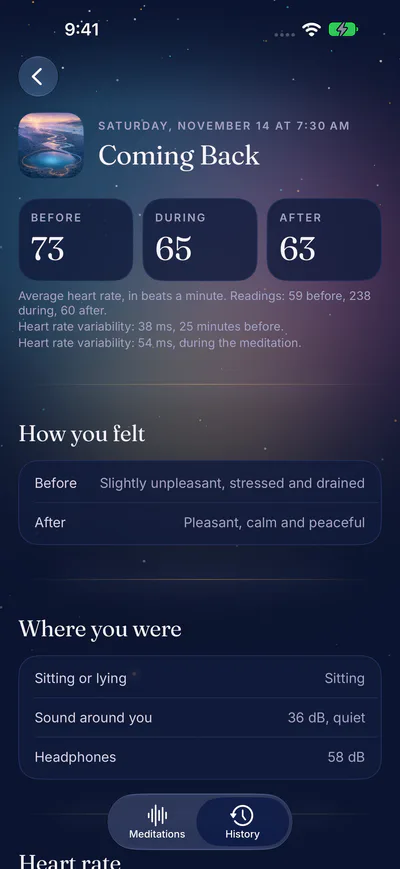
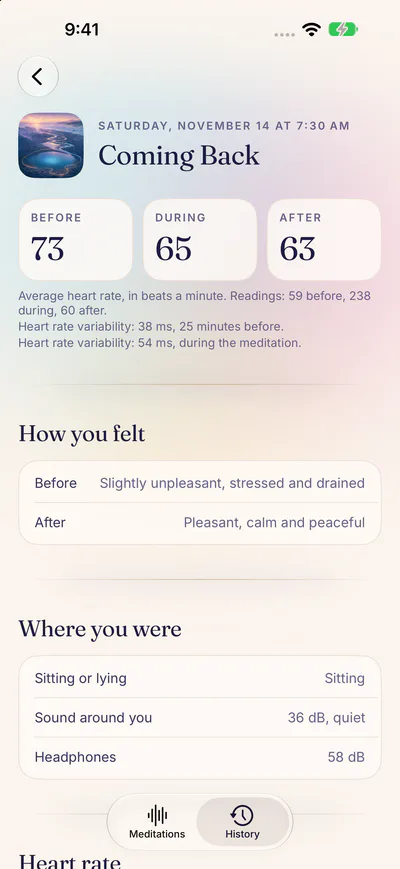
Your averages before, during and after, and how you felt. 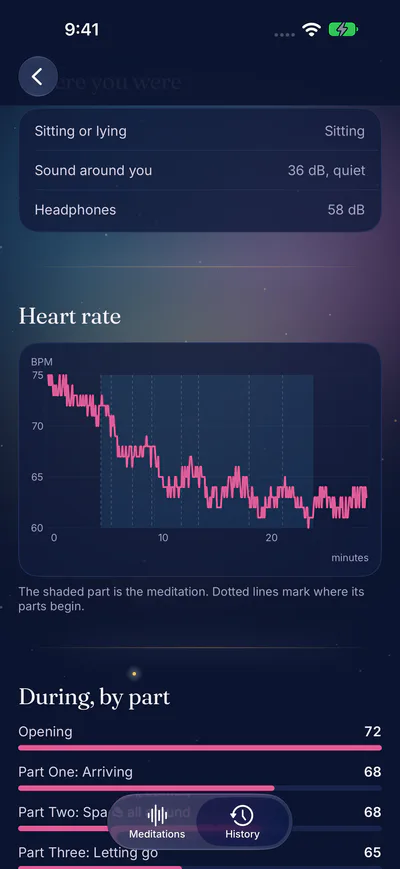
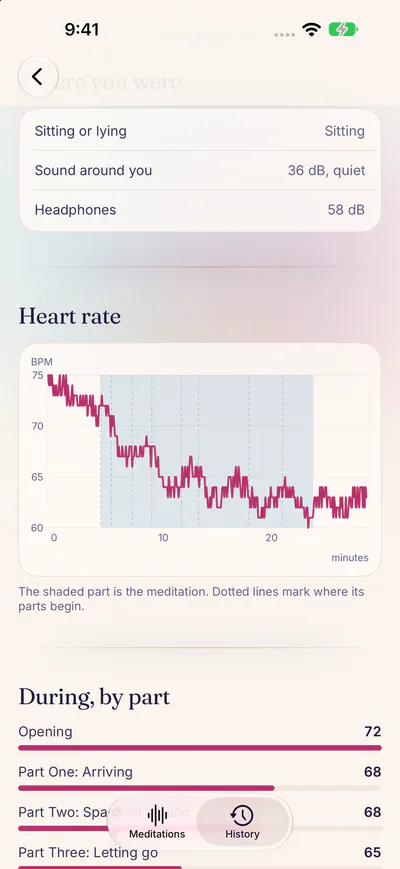
Your heart rate across the session, and in each part of the meditation.


- Free while it's in beta. No card, no subscription.
- iPhone and Apple Watch: iOS 18 and watchOS 11 or later.
- A session is the meditation with up to 5 quiet minutes on each side, or none. With 3 on each side, a 5-minute meditation takes about 11 minutes.
We usually reply within a few days. Or write to us
A session, from start to finish
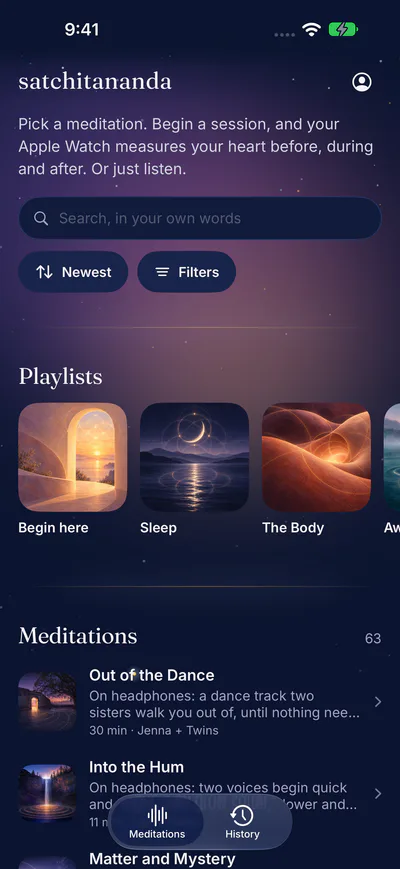
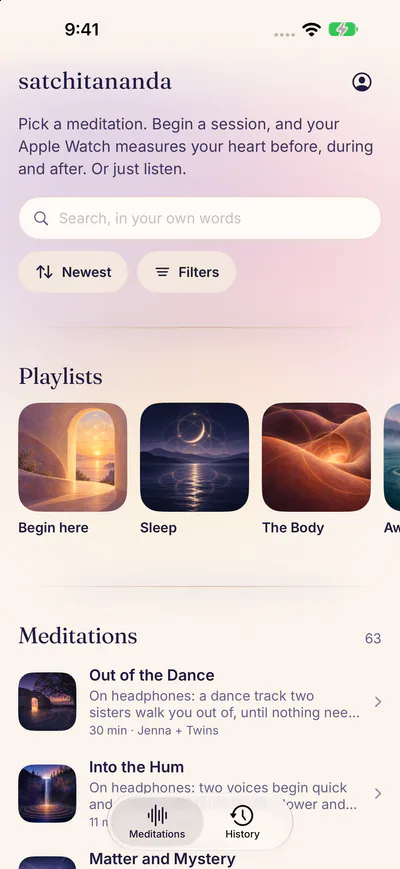
1Every meditation from the site, with search and filters. 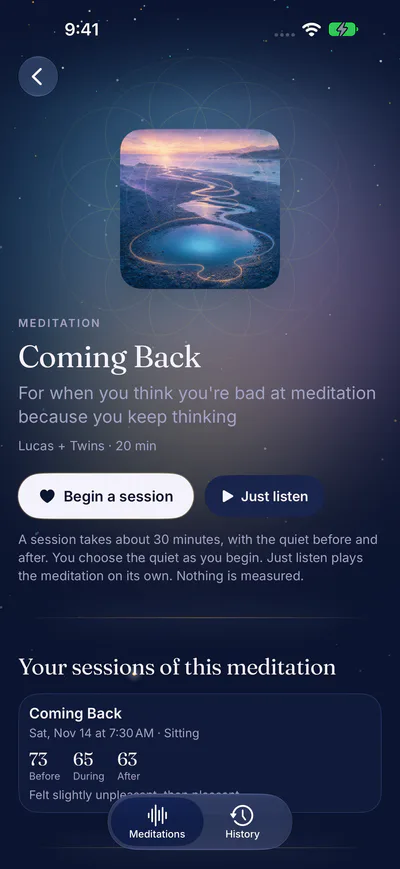
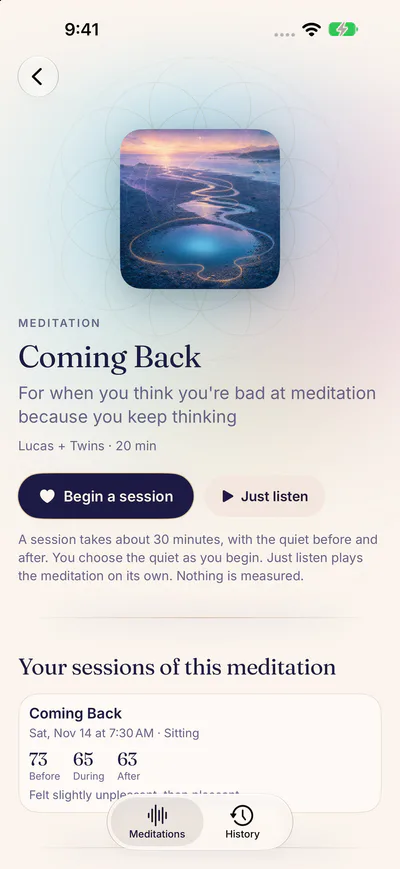
2Five quiet minutes, the meditation, then five quiet minutes again. 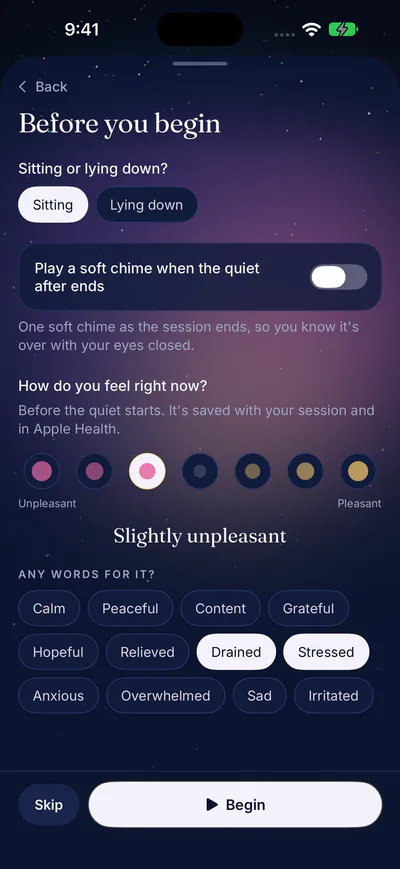
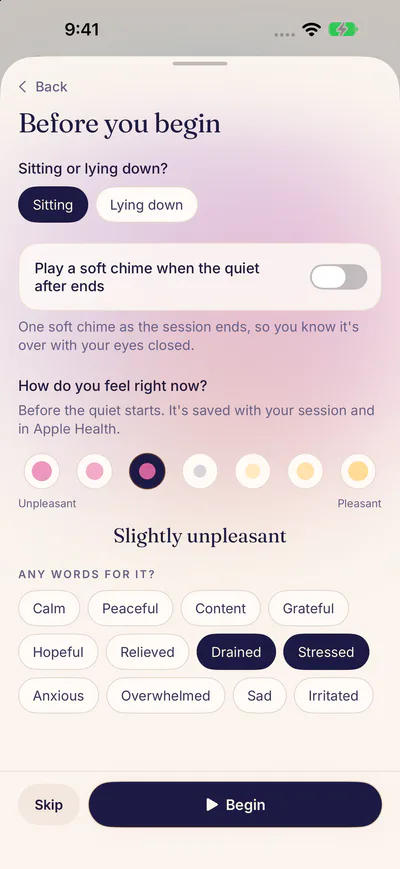
3Before you begin, say how you feel. It goes to Apple Health too. 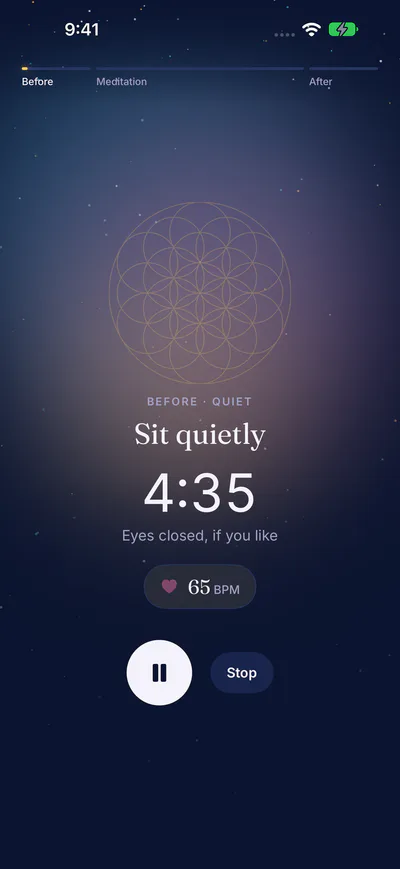
4During a session, the phone shows where you are and your heart rate. 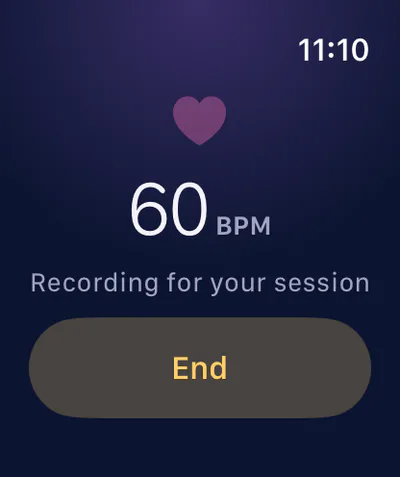
5Your Apple Watch records your heart rate while you listen. 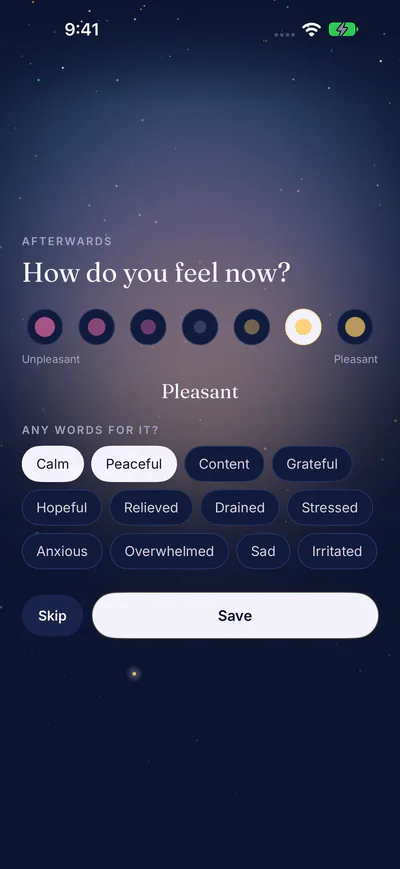
6Afterwards, say how you feel again. 7Your averages before, during and after, and how you felt. 8Your heart rate across the session, and in each part of the meditation.


What a session looks like
Here is a session of Coming Back, drawn the way the app draws it. The line is the heart rate, a reading every few seconds. The shaded part is the meditation, and the dotted lines are where its parts begin.
Example session
In this example, the heart rate averaged 73 beats a minute before, 65 during, and 63 after.
What your heart rate can and can't tell you
It can show you settling. Many people's heart rate slows as they settle into a meditation. You may see it drift down, or dip during a silence.
It can show you a moment that woke you up. A sound, a thought or a part of the meditation can lift it for a while. That's worth knowing too.
It can't tell you how well you meditated. A higher line isn't a worse session. Coffee, a walk, the heat, a poor night's sleep and how you're sitting all change your heart rate. Compare your sessions with each other over weeks, not with anyone else's.
Heart rate variability is a second, rougher measure. Your watch records it now and then, not all the time. The app shows the readings your watch took near each session, if there are any. A single reading says little.
There's no score, no stress level and no zones anywhere in the app. You see your own numbers, and they mean what they say.
Questions worth asking of a session:
- Did you feel different afterwards?
- Did anything in the meditation stand out, and does the line show it?
- Does a pattern come back across several sessions?
- Did how you felt and what your watch recorded tell the same story, or different ones? Both are worth knowing.
The research page shows the average heart rate before, during and after a meditation, across everyone who turned on research. It's updated twice a day. Turn on research in the app, and your sessions join it.
The app isn't a medical device. It doesn't diagnose, treat or warn you about anything. If something about your heart worries you, talk to a doctor. If you have a heart condition, ask your doctor before relying on any of these numbers.
Your first session
- Start short. Breathing Space, Anchored is 5 minutes. With 3 quiet minutes on each side, the whole session takes about 11 minutes. You choose the quiet as each session begins: none, 1, 3 or 5 minutes before and after.
- Why the quiet: the minutes before show your heart at rest, and the minutes after show where it goes once the voice stops.
- Your iPhone plays the meditation. Your Apple Watch starts with the session and records your heart rate until it ends.
- Sit or lie somewhere you won't be needed, with the watch snug on your wrist. Never while driving.
- When it ends, say how you feel, then look at your session.
Where your data goes
| Where | What | Who sees it |
|---|---|---|
| Your iPhone | Your sessions: the meditation, its timing, your heart rate and how you felt. What you just listened to. | Only you |
| Apple Health | Each session as a workout and as Mindful Minutes, and how you felt, as a State of Mind. When you just listen, only Mindful Minutes. | Only you, in the Health app, where you can delete any of it |
| Your account, if you sign in | Which meditations you listened to. Your heart sessions only if you turn on syncing in Your account in the app. They're studied, by participant number, only if you also turn on research. Then their averages join the research page | Only you, and the four of us could look in the database |
You can sign in, with Apple, Google or a code we email you, to keep a history of what you listen to. You can also choose to sync your heart sessions to your account. Syncing is off until you turn it on. We'll never sell or share your health data, use it for ads, or use it to train anything. The details are on the Privacy page.
If you have an Apple Watch, you already have Breathe
Your watch comes with Apple's Mindfulness app, and it's good. Its Breathe and Reflect sessions take one to five minutes. It shows your heart rate when you finish, and it lets you log how you feel in a few seconds. If that's all you need, you don't need this app.
This app adds the rest:
- Full guided meditations, from two minutes to over forty, with music and natural sound.
- Your heart rate across the whole meditation, before and after too, with its chapters marked.
- How you felt before and after, beside your heart rate in Apple Health.
Who makes it
We're two pairs of twins: Jenna and Jessi, and Lee and Lucas. We make the meditations on this site. We built the app because we wanted to see what a meditation does in the body, not just how it feels. It's free while it's in beta.
The app is for iPhone and Apple Watch, through TestFlight for now.
What you need
- An iPhone with iOS 18 or later.
- An Apple Watch with watchOS 11 or later: Series 6 or later, SE (2nd generation) or later, or any Ultra. A session needs it. Just listening doesn't.
- The email address your Apple account uses, for the TestFlight invitation.
Join the beta
- Ask us by email. Tell us the email your Apple account uses. It helps to know which iPhone and Apple Watch you have.
- We invite you, usually within a few days. The invitation comes from Apple, by email.
- Install TestFlight, Apple's free app for trying apps before they're in the App Store.
- Open the invitation on your iPhone, and install Satchitananda from TestFlight.
Each beta version lasts 90 days. When TestFlight says there's a new one, update. To tell us something, take a screenshot in the app and TestFlight asks if you'd like to send it. Or just reply to our email.
We usually reply within a few days. Or write to us
Questions
Is the heart rate accurate?
It's your Apple Watch's own reading, taken every few seconds during a session, as during a workout. It's accurate enough to see a trend across a meditation. It can slip if the watch is loose or you move a lot.
Do I need an Apple Watch?
Yes. A session starts on your watch, and without it nothing plays. To listen without a watch, use this site.
What does it cost?
Nothing in the beta, and no card is needed.
Will my health data be used to train anything?
No. It's used only to show you your own sessions.
How do I delete my data?
Your sessions are on your iPhone: deleting the app deletes them. What the app saved to Apple Health is yours to see and delete in the Health app.
I have a heart condition. Can I use it?
You can listen to every meditation as usual. Please ask your doctor before relying on the numbers, and stop if anything feels wrong.
What's new
- 11 November 2026: just listen, with no watch, and go back or forward 15 seconds. A soft chime when a session ends, if you turn it on. A menu and a page for your account, as on the site. Choose the quiet before and after as each session begins, or none at bedtime. The site's playlists, each with its meditations in order.
- 10 November 2026: the first beta on TestFlight. How you feel, before and after. Mindful Minutes in Apple Health. Heart rate variability near each session.